Testing
Integration Test Flow
Follow these steps to test your Shield implementation:
- Understand what Integration pattern you will be using.
- Be clear who will be executing the JS API call and who will be executing the Block API call.
- Create a service in the Shield dashboard.
- Set the Block API IP whitelist
- Note the service ID.
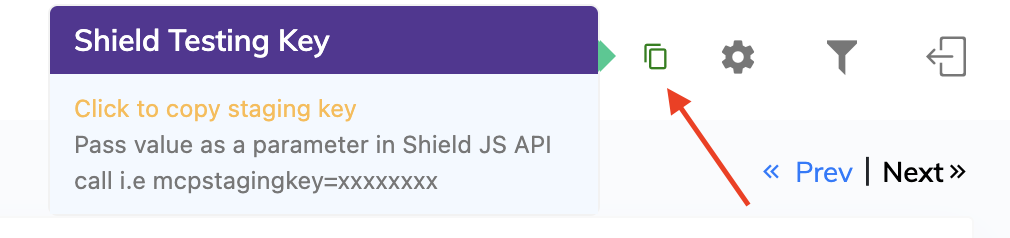
- Generate a staging key
- Program your service's landing page server to retrieve the JS snippet and embed it into the HTML page.
- Program your server to call the Block API after the user clicks a CTA.
- Be sure you call the Block API from a whitelisted IP address
- Once you have built the back end processes above, open the landing page on your device.
- Note Shield's uniqid. This can be found in the JS API response and inside the page HTML
- Pay special attention to the common pitfalls below
- Click the CTA and examine the response the server gets from the Block API in step 5.
- Visit
https://shield.monitoringservice.co/transaction/view/{UNIQUEID}to see Shield's detailed analysis.
Common Testing Pitfalls
Be aware of these patterns that will trigger blocks:
- Chrome flags and developer debugging - Some settings will trigger false positives such as programmatic clicks.
- In your mobile browser, visit chrome://flags.
- Press Reset all and relaunch Chrome.
- Completely Force Stop Chrome from Android Settings.
- Disconnect USB/ADB from any computer.
- Ideally disable USB debugging temporarily.
- Reboot the phone.
- After reboot, manually tap the normal Google Chrome icon.
- Manually enter your Shield staging URL.
- Visit your landing page and test again.
- Localhost testing — Blocked due to IP anomaly detection
- Desktop traffic is blocked by default. Unless you've explicitly enabled it, any subscription attempts from desktop will be blocked—even if you modify your user agent to appear mobile. Shield is designed to detect this type of suspicious spoofing pattern.
- Autoclicking — Automated click patterns are detected and blocked
- AJAX calls for the JS API — Not permitted; use the standard implementation
- Remote desktop tools (TeamViewer, AnyDesk, etc.) — Detected as:
- Failed interaction patterns
- Programmatic clicks
- Premature Block API calls — Only call the Block API on actual user interaction; don't call it immediately after the JS API loads
- Other fraud vendors - There can be conflicts when multiple fraud vendors are implemented on the same landing page, sometimes causing false positives for programmatic clicks.
- Block API IP whitelist - Make sure you are calling this API from an allowed IP.
Staging Keys
Staging keys are designed for testing purposes only:
- Validity: 24 hours
- Renewal: Generate a new key after expiration
- Relaxed restrictions: Remote control tools (TeamViewer, AnyDesk) are permitted when using a staging key
Implementation Checklist
Before going live, ensure you've defined:
- Which partner calls the JS API
- Which partner calls the Block API
- Block API is triggered only on genuine user interaction
- Proper handling of both Block and Clear responses
- You are observing Best Practices